Sign-up walls lose players
A chat that asks for an email or a verified account first turns a quick question into a lost customer.
Players chat at once as guests. Logged-in players keep one history on every device.
Floorline is a live chat operators add to their player site and backoffice with two pastes. Players talk to an agent without signing up, and agents can answer them after they have left.
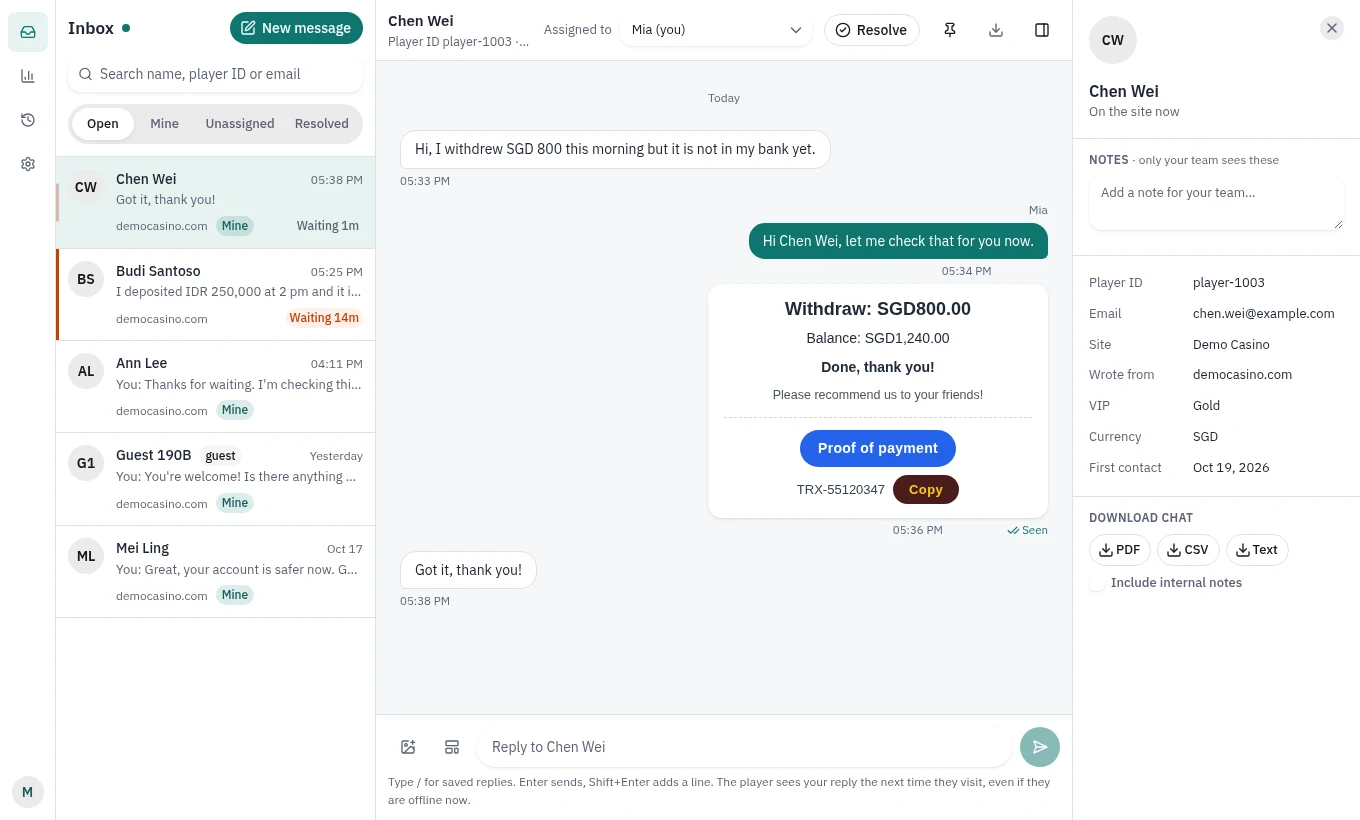
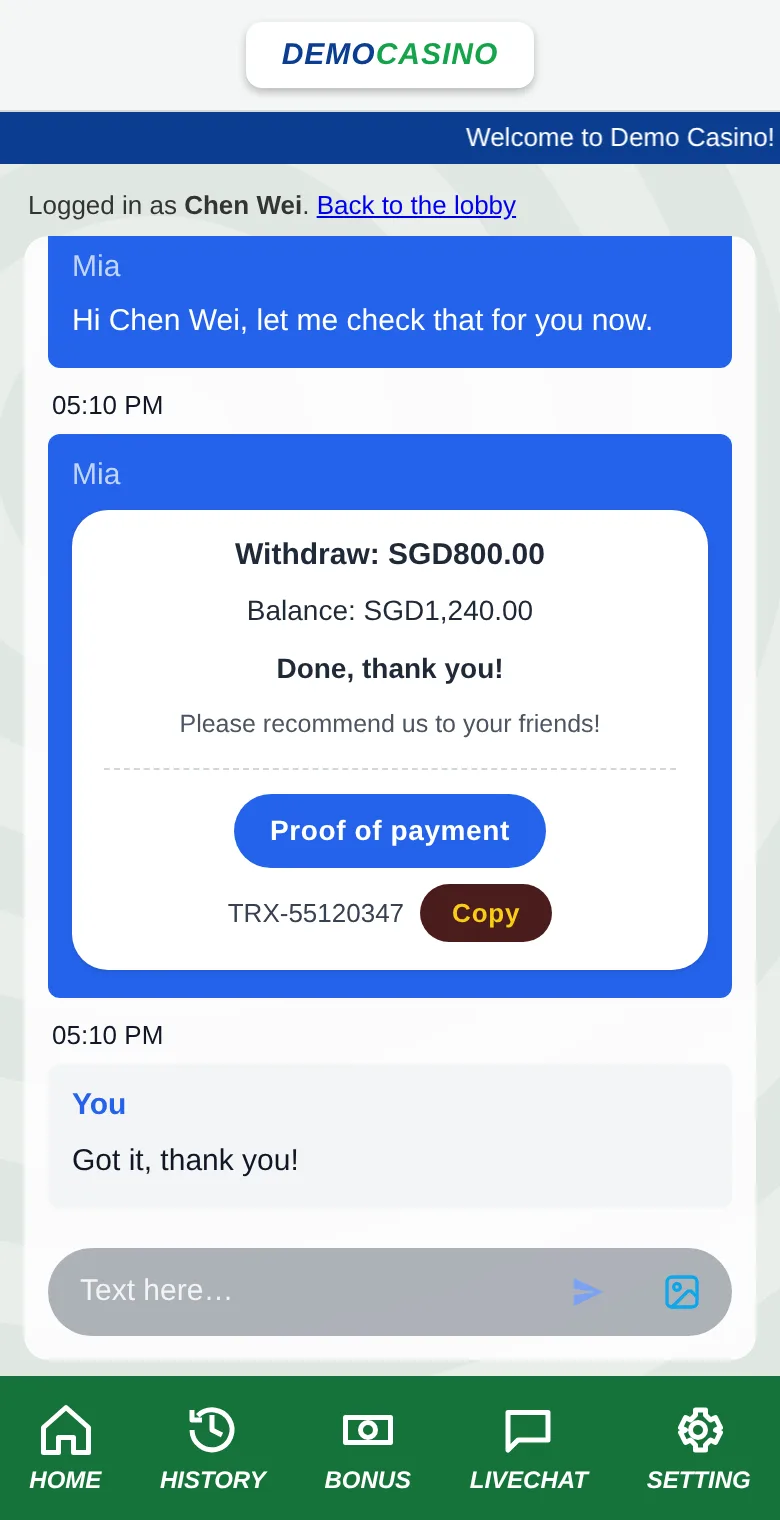
Real screens, shown with sample data
Players ask about money: a deposit that has not arrived, a withdrawal, a bonus. They want a person in seconds, inside the site they are playing on.
A chat that asks for an email or a verified account first turns a quick question into a lost customer.
Players chat at once as guests. Logged-in players keep one history on every device.
Not every backoffice stores a player's email or phone, so a reply by email or ticket never arrives.
Agents write to players who have left. The reply waits in the chat with an unread badge.
Staff switch between their backoffice and a separate chat product, each with its own login.
The agent screen lives inside the backoffice and signs staff in automatically.
In markets such as Malaysia, support is a full-page chatroom with receipts, QR codes and copy buttons.
A bubble or a full-page chatroom, and rich cards agents fill in and send.
Step 1 alone gives players a chat. Steps 2 and 3 are each one short function on the operator's own server, and come ready to copy in PHP and Next.js.
One script tag on every page. Guests can chat immediately, in a floating bubble or a full-page chatroom.
Any web developer, one line<script src="https://chat.example.com/widget.js"
data-site="site_XXXX" async></script>The operator's server signs the player's id. The player then keeps one conversation on every device, and agents see their VIP level next to the chat.
The player site's server<script src="https://chat.example.com/widget.js"
data-site="site_XXXX"
data-identity="<?= livechat_identity($player->id, $player->name) ?>"
async></script>One iframe. The backoffice signs in whoever is logged in, so staff never type a second password and new staff join the team automatically.
The backoffice's server<iframe
src="https://chat.example.com/console/?op=op_XXXX#sso=<?= $token ?>"
style="width:100%;height:100vh;border:0"></iframe>No server developer at hand? The quick start needs none: two pastes and two settings, about 10 minutes. Steps 2 and 3 can follow any time.
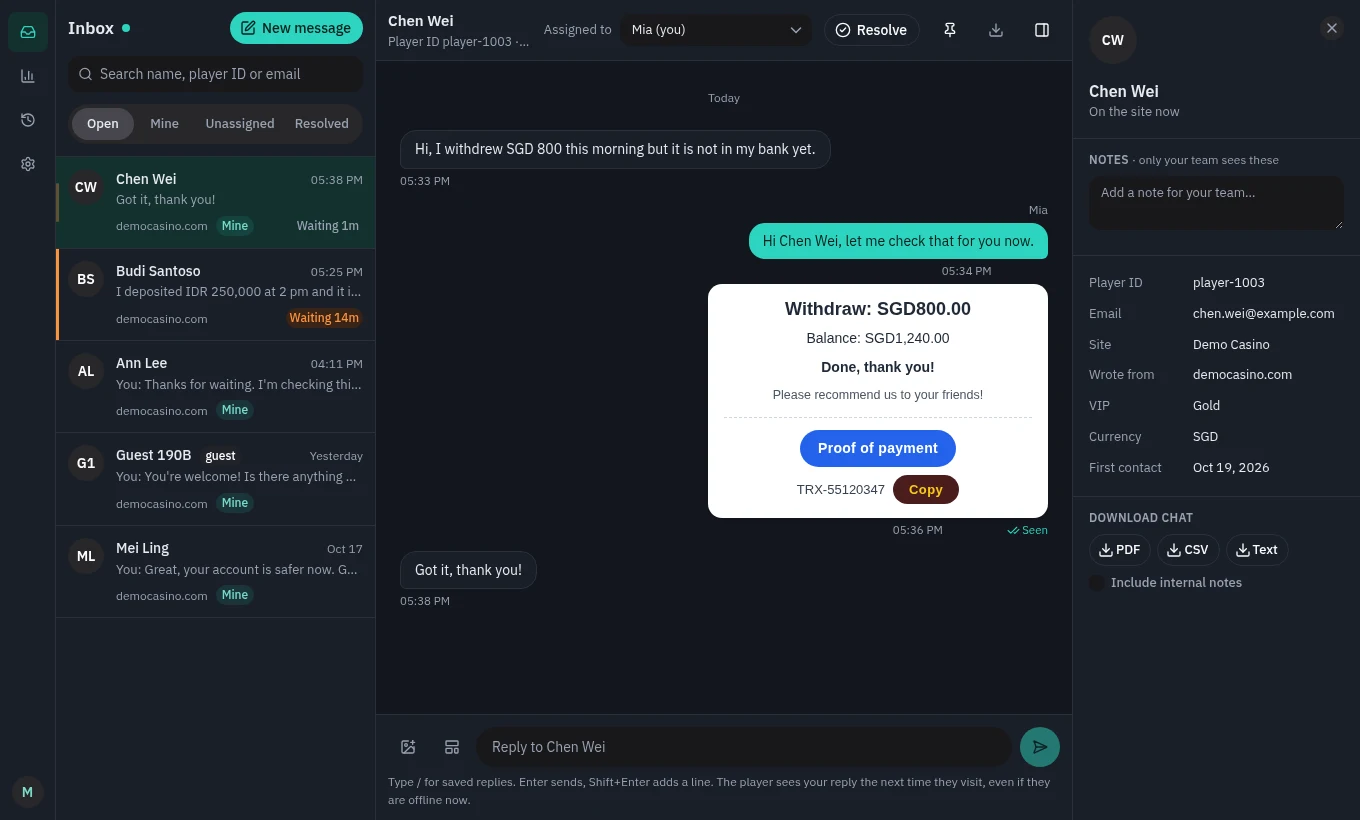
Agents answer every website from one screen. Each picks light or dark for themselves, or the screen takes the colours of the backoffice it sits in.
Many operators share one Floorline server. The rule that one can never see another's chats is enforced by Postgres, not left to application code.
Every request runs as one operator; the database refuses every other operator's rows.
No account can change or delete a message, so the history holds up in a dispute.
Players and staff are vouched for by the operator's own server; staff links last minutes and work once.
Browsers refuse to show the chat or agent screen on any address the operator has not listed.
Argon2 for passwords, hashes for login tokens, AES-256-GCM for operator keys.
Only real images are accepted, and they are shown through links that expire.
Every operator gets all of it, on every website they connect.
| Capability | |
|---|---|
| Guest and logged-in chat, offline replies, unread badge | Included |
| Floating bubble and full-page chatroom | Included |
| Chat window in English, Bahasa Melayu and Chinese | Included |
| Images, rich card templates, welcome cards | Included |
| Light and dark, for the chat window and the agent screen, or matched to your site and backoffice; the chat window also on your own background colour | Included |
| Sign-in from the operator's backoffice | Included |
| Several websites answered from one inbox | Included |